2. Official renderings
Overview of 12 styles:
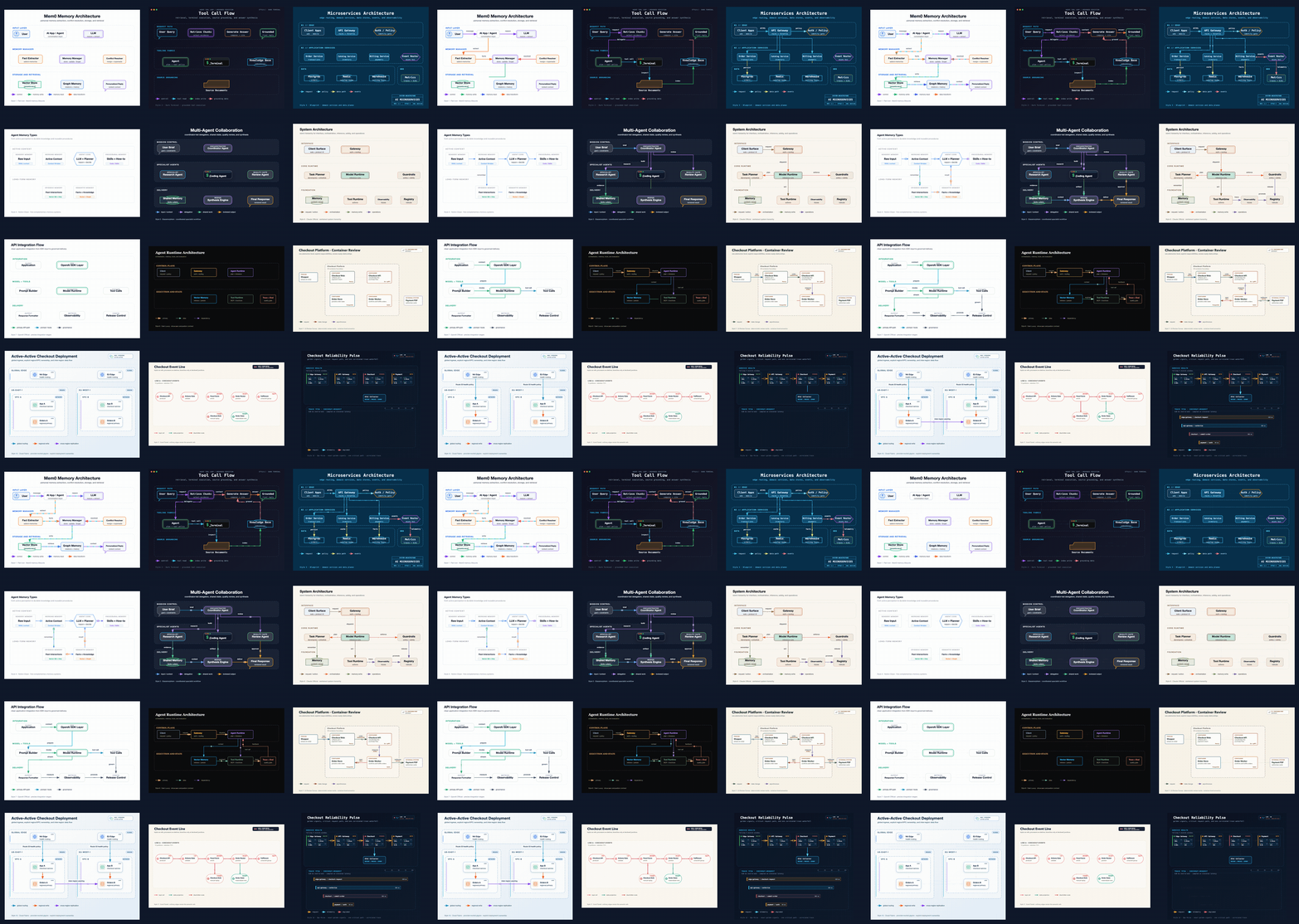
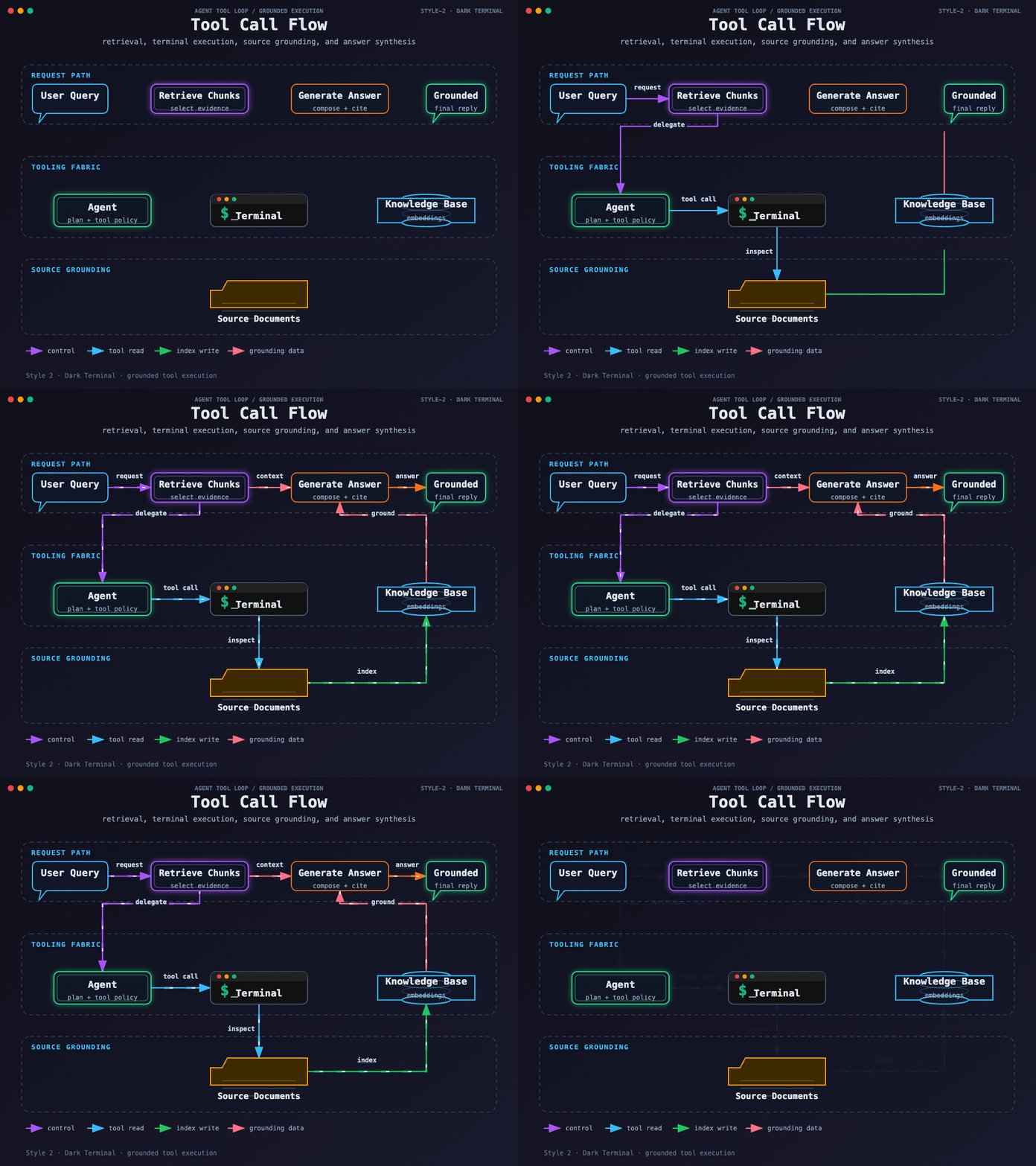
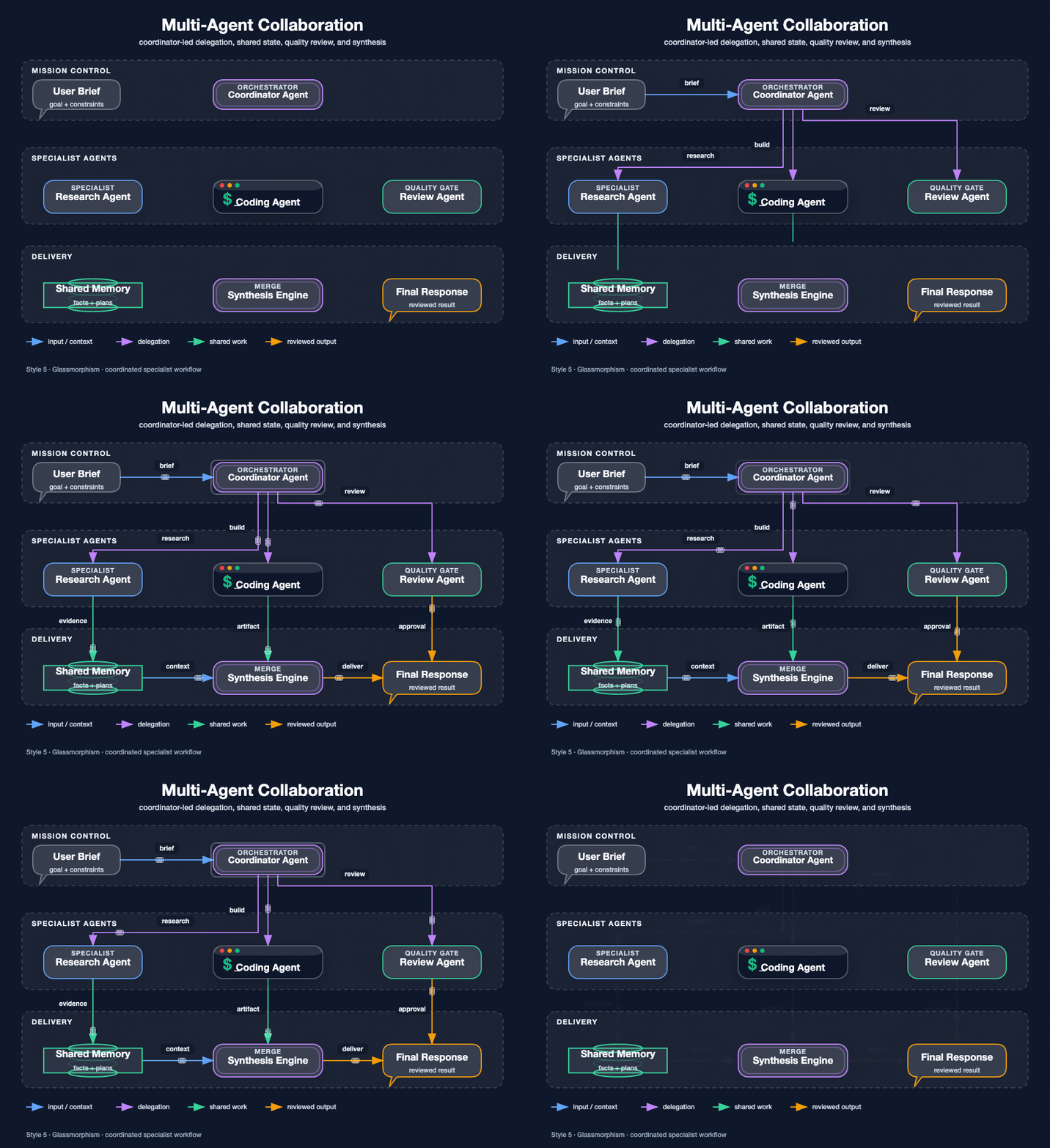
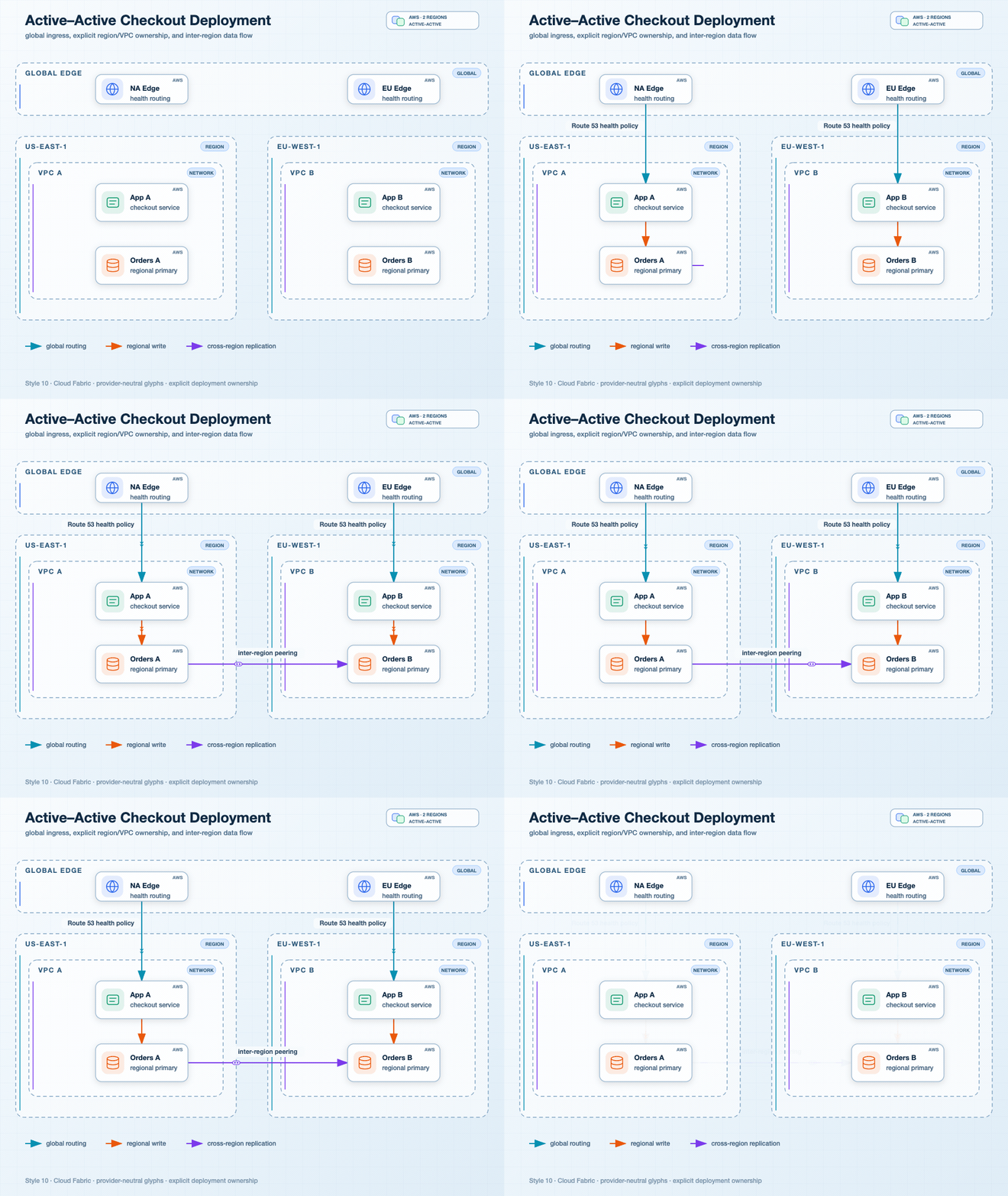
A few examples of common scenarios:
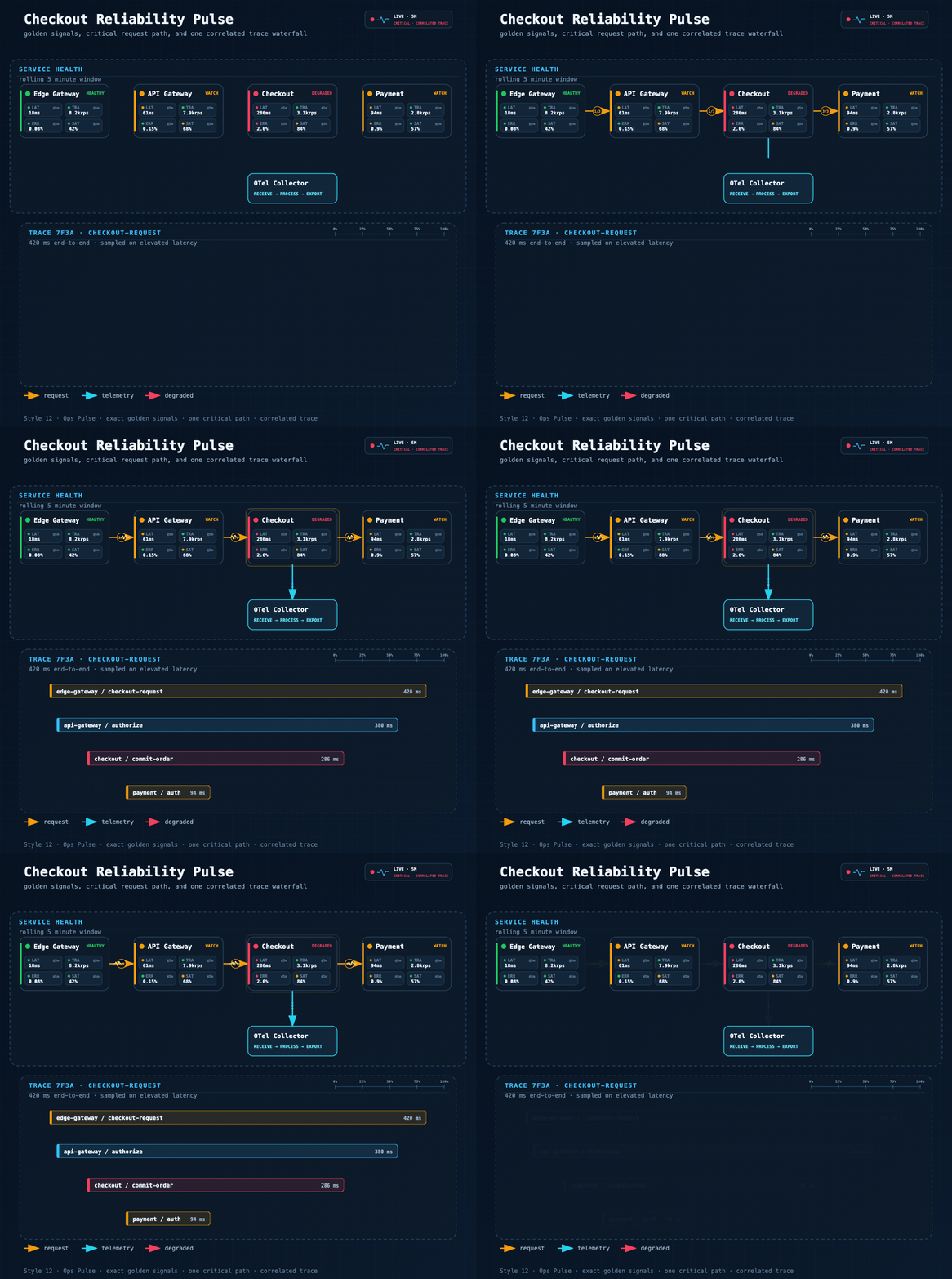
3. What is suitable
I will use it as a "technical diagram generator" in the future, especially in these scenarios:
| Scene | How to Use |
|---|---|
| Write open source project analysis notes | Give the project easel composition, module diagram, data flow diagram |
| Pre-sales proposal materials | Quickly draw the system architecture, integration relationship and deployment topology that customers can understand |
| Explanation of AI Agent Scheme | Architecture of RAG, Agentic Search, Multi-Agent, Tool Call, and Memory |
| Tech Blog/README | Generate more beautiful SVG/PNG without hand-tuning draw.io |
| Architecture Review | Use C4 Review Canvas, Cloud Fabric, Event Transit, and Ops Pulse engineering styles |
| accident resume/SRE material | painting golden signals, trace path, critical path |
| internal training | convert abstract concepts into diagrams, such as "five memory types of agent" |
| Presentation | In Glassmorphism, Claude Official, OpenAI Official, or Dark Luxury style |
A few I think high-frequency prompt words:
画一张 Multi-Agent 协作架构图:用户请求进入 Orchestrator,分发给 Search Agent、Code Agent、Report Agent,最后汇总输出。帮我画一张 RAG 和 Agentic RAG 的对比图,用 Notion Clean 风格。画一张客户私有化部署架构图:公网入口、API Gateway、应用服务、PostgreSQL、Redis、对象存储、日志监控,风格 10 Cloud Fabric。把这个系统调用链画成 Ops Pulse 可靠性图:用户请求 → API → Agent Runtime → Tool Executor → Database → Response。4. Not suitable for what to do
It is not a universal tool for all drawing tasks.
| Not suitable for the scene | Reason |
|---|---|
| Extremely complex and precise engineering drawings | For example, the network topology is accurate to ports, cabinets, IP, cable numbers, or professional tools are more appropriate |
| Design drafts that require a lot of manual fine-tuning | draw.io, Figma are more suitable for fine-tuning |
| Just want to write a few lines of simple diagrams in the Markdown | Lighter Mermaid |
| Highly brand customized marketing vision | It is partial to technical drawings, not brand poster generators |
| It is required to completely follow the existing figure one-to-one re-engraving | It can be referenced, but pixel-level re-engraving is not guaranteed |
| No Python/Rendering Dependent Environment | SVG can be generated, but PNG/GIF/checking ability will be limited |
5. Installation Method
5.1 recommended for Codex and Claude Code
The official recommendation is to use nested skill path, and the last'/skills/fireworks-tech-graph' should not be omitted:
npx -y skills@1.5.17 add \
  yizhiyanhua-ai/fireworks-tech-graph/skills/fireworks-tech-graph \
  --agent codex claude-code -g -y --copy
This command copies the full Skill:
~/.agents/skills/fireworks-tech-graph
~/.claude/skills/fireworks-tech-graph
Includes scripts, schemas, fixtures, templates, tests, references, and metadata.
5.2 Codex Editable Installation
If you want to change your skill:
mkdir -p ~/.agents/skills
git clone https://github.com/yizhiyanhua-ai/fireworks-tech-graph.git ~/.agents/skills/fireworks-tech-graph
5.3 Claude Code Editable Installation
mkdir -p ~/.claude/skills
git clone https://github.com/yizhiyanhua-ai/fireworks-tech-graph.git ~/.claude/skills/fireworks-tech-graph
5.4 Codex and Claude Code share one checkout
mkdir -p ~/.local/share/agent-skills ~/.agents/skills ~/.claude/skills
git clone https://github.com/yizhiyanhua-ai/fireworks-tech-graph.git ~/.local/share/agent-skills/fireworks-tech-graph
ln -s ~/.local/share/agent-skills/fireworks-tech-graph ~/.agents/skills/fireworks-tech-graph
ln -s ~/.local/share/agent-skills/fireworks-tech-graph ~/.claude/skills/fireworks-tech-graph
The advantage of this method is that the two agents see the same Skill and do not need to synchronize twice when updating.
6. Dependency
Static SVG/PNG workflows require an SVG renderer:
python3 -m pip install cairosvgOr:
brew install librsvgGIF requires additional FFmpeg, Chrome/Chromium, and puppeteer-core ':
brew install ffmpeg

for SKILL_ROOT in \
  "$HOME/.agents/skills/fireworks-tech-graph" \
  "$HOME/.claude/skills/fireworks-tech-graph"
do
  [ -d "$SKILL_ROOT" ] || continue
  npm install --prefix "$SKILL_ROOT" --ignore-scripts --no-save --package-lock=false puppeteer-core@25.3.0
  python3 "$SKILL_ROOT/scripts/fireworks.py" doctor
done
Check the environment:
python3 "$HOME/.agents/skills/fireworks-tech-graph/scripts/fireworks.py" doctor7. Quick Start
The simplest usage is to say directly in Codex or Claude Code:
帮我画一张 RAG 架构图Specify style:
画一张微服务架构图,风格 3 工程蓝图风Specify the output path:
生成一张 Tool Call 流程图,输出到 /tmp/diagrams/Generate GIF:
把刚才生成的 SVG 做成 GIFOr:
Generate a GIF for this architecture diagram8. CLI Common Commands
Official Unified CLI:
SKILL_ROOT="${CLAUDE_SKILL_DIR:-$HOME/.agents/skills/fireworks-tech-graph}"

python3 "$SKILL_ROOT/scripts/fireworks.py" doctor
python3 "$SKILL_ROOT/scripts/fireworks.py" validate architecture "$SKILL_ROOT/fixtures/api-flow-style7.json"
python3 "$SKILL_ROOT/scripts/fireworks.py" render architecture "$SKILL_ROOT/fixtures/api-flow-style7.json" diagram.svg --report layout.json
python3 "$SKILL_ROOT/scripts/fireworks.py" check diagram.svg
python3 "$SKILL_ROOT/scripts/fireworks.py" export-html diagram.svg diagram.html --title "API Integration Flow"
python3 "$SKILL_ROOT/scripts/fireworks.py" animate diagram.svg diagram.gif
The actual meaning of several commands:
| Command | Purpose |
|---|---|
| 'doctor' | Check running dependencies |
| 'validate' | Check whether the input JSON/IR conforms to the graph structure. |
| 'render' | Render structured input into SVG |
| 'check' | Check SVG structure, marker, path, collision, etc. |
| 'export-html' | Generate offline interactive HTML with pan zoom and export support |
| 'animate' | converts semantic SVG into GIF |
9. Trigger Word
Chinese:
画图 / 帮我画 / 生成图 / 做个图 / 架构图 / 流程图 / 可视化一下 / 出图
生成 GIF / 制作 GIF / 让这张图动起来 / 把刚才的 SVG 转成 GIF
English:
generate diagram / draw diagram / create chart / visualize
architecture diagram / flowchart / sequence diagram / data flow
Generate a GIF / animate this diagram / animate this SVG as a GIF
10. How to choose 12 styles
| Number | Style | Where would I use |
|---|---|---|
| 1 | Flat Icon | Default style, suitable for blog, PPT, general technical description |
| 2 | Dark Terminal | Tool call, code execution chain, developer README |
| 3 | Blueprint | Microservices, Kubernetes, Engineering Architecture Review |
| 4 | Notion Clean | Clean Document Chart in Obsidian, Notion, Confluence |
| 5 | Glassmorphism | Multi-Agent, Product Demo, Cool Plan Page |
| 6 | Claude Official | Anthropic/Claude Related Schemes, Warm Color Restraint |
| 7 | OpenAI Official | OpenAI APIs, SDKs, tool calls, and application integration processes |
| 8 | Dark Luxury | Advanced Sense Cover Chart, Speech Opening Chart, README hero |
| 9 | C4 Review Canvas | C4, ADR, Responsibility Boundary, System Review |
| 10 | Cloud Fabric | Multi-cloud, multi-region, VPC, deployment topology |
| 11 | Event Transit | Kafka, event stream, Consumer group, and DLQ |
| 12 | Ops Pulse | SRE, Gold Indicator, trace, Accident Review |
11. Supported graph types
General Technical Chart:
-Architecture Diagram
-Data Flow Diagram
-Flowchart
-Agent Architecture Diagram
-Memory Architecture Chart
-Sequence diagram
-Comparison chart
-Mind Map
UML supports 14 categories:
-Class Diagram
-Component Diagram
-Deployment Diagram
-Package Diagram
-Composite Structure
-Object Diagram
-Use Case Diagram
-Activity Diagram
-State Machine
-Sequence Diagram
-Communication Diagram
-Timing Diagram
-Interaction Overview
-ER Diagram
AI/Agent realm built-in Pattern:
RAG Pipeline
Agentic RAG
Agentic Search
Mem0 Memory Layer
Agent Memory Types
Multi-Agent
Tool Call Flow
12. Some directly reusable prompt words
RAG / Agent
画一张 Agentic RAG 架构图:用户问题进入 Planner,Planner 可调用 Search、Vector DB、Calculator、Code Tool,最后 Synthesizer 生成答案。风格 2。生成一张 Mem0 记忆架构图,包含输入、Memory Manager、Vector Store、Graph DB、KV Store、冲突消解和检索输出。风格 3。Multi-Agent
画一张 Multi-Agent 协作图:Orchestrator 接收任务,分发给 Research Agent、Coding Agent、Review Agent,结果进入 Aggregator,再由 Human Reviewer 审核。风格 5。Cloud Deployment
画一张多区域 SaaS 部署图:Global DNS → WAF → Region A / Region B,每个 Region 有 API Gateway、App Service、PostgreSQL、Redis、Object Storage,两个 Region 做数据复制。风格 10。Event Flow
画一张订单系统事件流图:order.created topic → payment processor → inventory processor → notification processor,失败进入 DLQ,最终写入 order projection。风格 11。SRE
画一张 Checkout 可靠性脉冲图:Browser → API Gateway → Checkout Service → Payment Service → Database,标注 latency、traffic、errors、saturation,并展示 OTel trace export。风格 12。13. Output file
Common output:
| File | Purpose |
|---|---|
| '.svg' | Editable, embeddable Web page or document |
| '.png' | suitable for PPT, articles, Obsidian, README |
| '.gif' | Suitable for demonstrating processes, data flows, system dynamics |
| '.html' | Single-file offline interactive diagram, which can be panned, zoomed, switched themes, and exported |
| '.motion.json' | GIF validation report |
| 'layout.json' | Layout and validation report |
14. My usage suggestion
My suggestion is to put it in three workflows:
14.1 Open Source Project Analysis
When analyzing a repo, write the text first and then let it generate:
-Overall architecture diagram.
-Data flow diagram.
-Agent workflow diagram.
-Deployment topology diagram.
-Comparison chart with the competition.
Obsidian notes will read better.
14.2 Pre-Sales Plan
If you want to tell the customer about the plan, use it to quickly produce the first layout:
-Current system diagram.
-Target architecture diagram.
-Access flow chart.
-Privatization deployment map.
-PoC verification flowchart.
The figure can not pursue perfection first, but the module relationship should be clearly explained. It is also possible to use draw.io/Figma for refinement later.
14.3 Technical Training
When talking about Agent, RAG, MCP, tool call, and memory system, use it to turn concepts into diagrams. It will be easier for students to keep up without you having to draw on the whiteboard for half a day.
15. FAQ & Pit
| Problem | How |
|---|---|
| Only the root directory 'SKILL.md' is installed after 'npx skills add' | Use nested path:'yizhiyanhua-ai/fireworks-tech-graph/skills/fireworks-tech-graph' |
| PNG not generated | Install 'cairosvg' or 'librsvg' |
| PNG Blank/Black Screen | SVG may use external font '@ import url()' instead of system font |
| Truncated at bottom | Increase SVG 'viewBox' height |
| Text overflow | Shorten the label, or let the Agent re-layout |
| GIF generation failed | Check FFmpeg, Chrome/Chromium, 'puppeteer-core' |
| The line passes through the node | Let the Agent adjust the waypoint, corridor or port, do not delete the verification directly. |
| Want a very simple Markdown graph | Mermaid may be faster |
16. Version, License, and Maintenance Status
| Item | Information |
|---|---|
| Latest release | v1.2.0,2026-07-17 |
| License | MIT |
| Main languages | Python, JavaScript, HTML, Shell |
| GitHub | 2026-08-05 Check: about 9.7k stars, 807 forks, 0 open issues |
| Node requirements | Optional motion renderer in v1.2.0 requires Node.js 18 |
| Python Requirements | Python 3.9 |
| npm package | '@ yizhiyanhua-ai/fireworks-tech-graph',README mentions that npm may lag behind GitHub Release |
Highlights of v1.2.0 updates:
-New SVG-to-GIF semantic dynamic workflow.
-12 styles are added to the accepted motion contract.
-Default GIF timeline changed to 5.75 seconds/115 frames/20fps.
-README presentation updated to GIF.
-Enhanced GIF/Geometry/Chromium/FFprobe validation.